For estate agents, automation has traditionally been about saving time. Set up a sequence, decide when communications should be sent and let the technology take care of the rest. But customer journeys are rarely that straightforward.
A homeowner considering selling behaves differently from someone who has just requested a valuation. A buyer repeatedly viewing properties in one area has different interests from someone who has stopped engaging altogether.
The challenge is creating automation sophisticated enough to recognise those differences, without adding more work for your team.
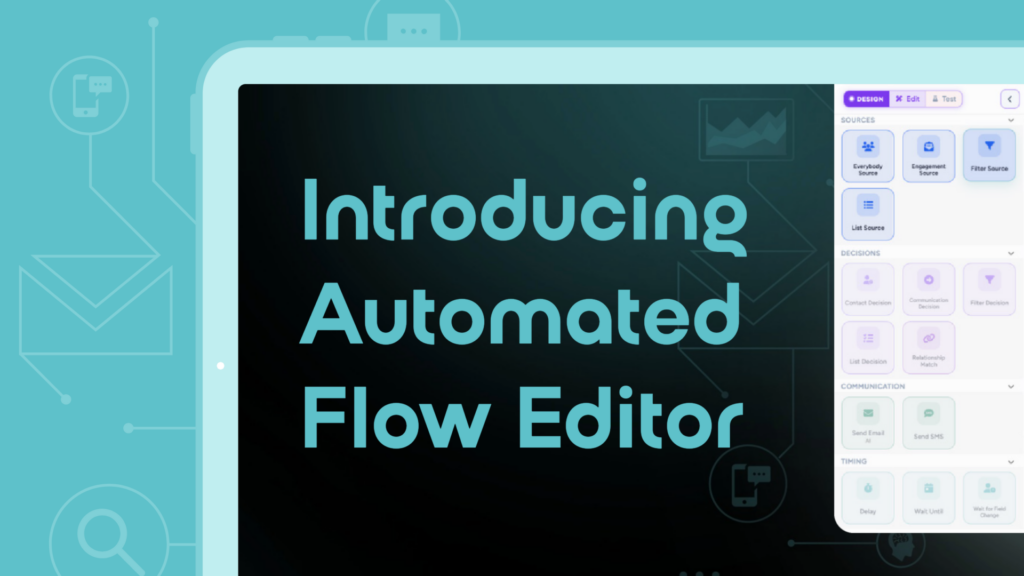
That is where the all-new Automation Flow Editor changes what is possible.
Build smarter journeys around what your customers actually do
The Automation Flow Editor gives estate agents greater control over how automated customer journeys is built, allowing communications to adapt according to each contact’s interests and interactions.
Rather than creating a single sequence that every contact follows, agencies can build journeys with multiple steps and paths.
You decide who enters a journey, what happens next and how their journey changes depending on the actions they take.
That could mean responding differently when someone engages with a property, tailoring communications around their interests or changing the next step when they complete an important action such as requesting a valuation.
The result is automation that responds to the customer rather than simply following a fixed schedule.
The right message. The right moment. Automatically.
Timing matters in estate agency marketing.
Your database contains people at very different stages of their property journey. Some may be ready to act today, while others could be months or even years away.
With the Automation Flow Editor, agencies can turn that principle into ongoing automated journeys.
A contact’s behaviour can influence what happens next, helping your agency deliver communications that feel more relevant to their individual circumstances.
Instead of treating your database as one large audience, automation can help you nurture each contact according to their own journey.
Save time without compromising the customer experience
More personalised marketing would traditionally mean more work.
Someone needs to identify the opportunity, decide what communication should be sent, create the message and remember to follow up again later.
Automation removes much of that manual process.
Once a journey has been created, it can continue running in the background, keeping contacts engaged without your team having to manage every individual interaction.
This allows agents to create more sophisticated ongoing nurture campaigns while freeing their teams to focus on the conversations and opportunities that need a human touch.
It also helps create consistency. Instead of relying on someone remembering to send the next email or follow up with a contact, the journey continues automatically.
Create emails without leaving the journey
Building the journey is only part of the process. You also need engaging communications at every stage.
The Automation Flow Editor works with the new Email Editor, allowing emails to be created and edited directly within automated journeys.
This makes it easier to build the entire customer experience in one place, from deciding when an email should be triggered to creating the communication the customer receives.
Whether it is a valuation follow-up, a long-term nurture campaign or communication based on property engagement, each email can be designed around that specific stage of the journey.
See exactly how your automations are performing
Effective automation should never mean setting up a journey and forgetting about it.
The Automation Flow Editor provides reporting across your journeys, helping you understand how your automations are performing and where customers are progressing.
You can also drill down into individual contacts to see exactly how they have moved through a journey.
This gives your agency greater visibility over what is happening behind the automation, helping you understand customer behaviour and continually refine your approach.
What could an automated journey look like?
Imagine a homeowner who first enters your database after requesting information about the local property market.
Rather than immediately pushing for a valuation, they could enter a nurture journey designed around their current level of interest.
They receive useful local market content. Their subsequent engagement helps determine what happens next. As their behaviour indicates stronger intent, the communications they receive can change accordingly.
If they eventually request a valuation, the journey can respond to that action and move them towards the appropriate follow-up.
All of this can happen without someone in your branch manually managing every step.
It means automation is no longer simply about sending Email A, waiting seven days and sending Email B.
It becomes a way of creating connected customer journeys that respond to what people do.
More flexibility for existing customers
For agencies already using Nurtur’s automations, the new Automation Flow Editor provides significantly greater flexibility over how those journeys can be created and managed.
More advanced journeys can be built with multiple steps and paths, giving agencies greater control over how different customers are nurtured.
Combined with journey reporting, individual contact insights and the ability to create emails directly within the flow, it provides a clearer and more flexible way to manage automation from beginning to end.
The Automation Flow Editor helps estate agents build smarter journeys around each customer’s needs, interests and actions, keeping people engaged while reducing the manual workload on their teams.
Because the best automation should not make the customer feel automated.
It should make every interaction feel more relevant.
Build smarter journeys. Deliver more relevant communications. Save your team time.
Discover what is possible with the new Automation Flow Editor.